


Rebrand - AI Logo Maker
3.9179.00 Reviews
App Specs
- Version
- 1.4.0
- Updated On
- License
- Free
- Downloads
- 100,000+
- Developer
- HubX
- Categories
- Art & Design
- Platform
- Android
Screenshots
 Analysis by AppCompare
I find Rebrand - AI Logo Maker most useful when I need a starting point rather than a finished brand identity. It turns a name and an industry into design ideas I can react to, then lets me adjust the direction. That makes the first session feel easy and lively, especially if opening a blank design canvas usually stops you before you begin.
When the first session feels fresh
The immediate appeal is the short route from an idea to a set of visual possibilities. Instead of searching through generic templates first, I can enter a brand name and industry and see what the AI proposes. That is handy when I am naming a small project, testing a side-business idea, or trying to make a temporary identity for a community event.
The useful part is not simply that the app produces options quickly. It gives me something concrete to judge: does this look trustworthy, playful, calm, or too much like another business in the same field? I can use those reactions to clarify what I want before spending time polishing anything. I would treat the first result as a sketch, not as proof that a logo is ready for customers.
For example, imagine I have agreed to help a friend promote a weekend craft stall. We know the stall’s name and roughly what it sells, but have not settled on a visual style. I could generate a few starting directions, compare how the name reads alongside different symbols and colors, and show the most promising version to my friend. That is a realistic job for a phone-based logo tool: getting discussion moving without turning a small favor into a full design project.
Where repeat visits earn their place
Rebrand is an art and design app from HubX, and its strongest recurring value is quick iteration. I can return to a draft with a clearer idea, try another color or font, and decide whether a small change helps the brand feel more distinctive. That kind of occasional use is more convincing than treating an AI-generated logo as a reason to open the app every day.
There is a practical workflow here: first decide what the logo must do, then generate ideas, and only after that spend time on visual tweaks. If I start changing colors and icons before I know where the logo will appear, it is easy to make something attractive at large size that becomes hard to read on a small profile image. I would check the design at the sizes I expect to use, rather than judging it only on the editing screen.
The app is a good fit for a solo seller, a new podcast, a personal blog, or a volunteer group that needs a recognizable mark without a complicated design process. It is less suited to someone who needs a carefully researched identity system, detailed brand guidelines, or a logo that must be cleared for a major commercial launch. In those cases, a professional designer can ask deeper questions about audience, competitors, and long-term use than an automated starting point can settle.
Worth Reading Before You Choose

EA SPORTS FC Mobile 26 Is a Bigger Football Game, but It Takes Time

Flipboard Shows What News Apps Must Do Beyond the Feed

Switching to Android Auto Means Rethinking Your Driving Routine

Google Calendar Makes a Crowded Week Easier to Manage

Ludo King Makes the Most of the Minutes Between Plans

Baby Panda World Brings Quick Play to Modern Phones, but Its Game Library Feels Busy
What the quick route asks you to trade
The freedom to generate and customize can also make it tempting to keep searching for a perfect version. I get more value by setting a small brief before I begin: the name must be readable, the image should make sense for the project, and the result should still work without relying on tiny details. Those simple checks help me stop when I have a usable direction instead of endlessly sampling alternatives.
Compared with a conventional design editor, Rebrand puts more emphasis on getting an initial concept from a prompt-like setup, while a manual editor gives a designer more direct control from the first mark. Compared with hiring a designer, it is faster to explore alone but does not replace a conversation about originality or how the identity should work across packaging, signage, social profiles, and other materials. I see it as a bridge between having no visual starting point and commissioning a more considered design.
There is also a cost decision to make before relying on it for a larger project. The app is free to install, but it includes in-app purchases listed from $6.99 to $39.99 per item. I would explore the free experience first and check the purchase terms shown in the app before building a workflow around anything paid. A person who only needs one rough concept may have different needs from someone planning repeated brand work.
Keeping a logo useful after the novelty fades
A logo is only helpful if it remains legible and appropriate wherever it is used. Before settling on a design, I would test it against a plain background, at a small size, and in a context where the brand name has to do most of the work. If a symbol looks appealing but the name becomes difficult to read, the simpler option may serve the project better.
It is also worth keeping the project’s purpose in view. A temporary event graphic can be expressive and experimental; a small business may need something easier to recognize and reuse over time. Rebrand makes trying alternatives approachable, but choosing a restrained design and sticking with it can be more valuable than refreshing the look whenever a new idea appears.
Getting Started with Ease
First things first, downloading the app was a breeze. Available on both Android and iOS, Rebrand - AI Logo Maker takes up minimal space, so no need to fret about storage issues. The moment I opened it, I was greeted by a sleek, user-friendly interface. It’s like the app was saying, "Hey buddy, I got you!"
Designing with AI Smarts
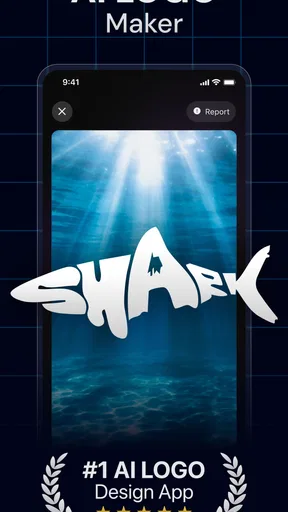
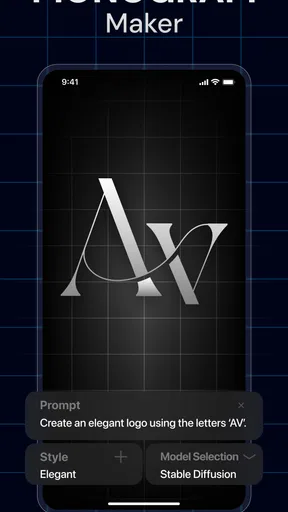
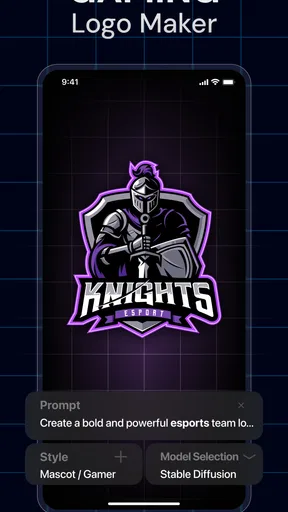
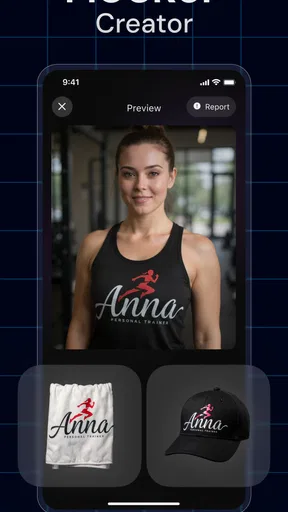
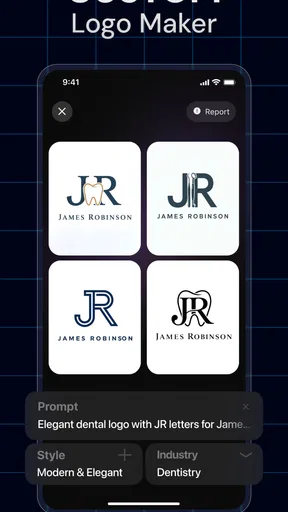
Now, the magic really happens when you start creating. I was curious about how the AI would perform, so I dived right into the logo creation process. You start by entering your brand name and selecting an industry. The AI then conjures up a variety of designs in a matter of seconds. It’s almost like having a brainstorming session with a designer, minus the awkward small talk.
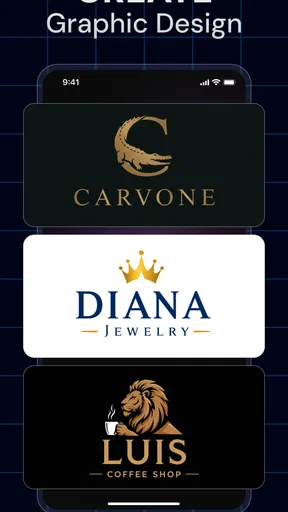
The design options are not just random doodles; they actually felt tailored to the brand name and industry I provided. The range is impressive too, from minimalist to more elaborate designs. I found myself playing with different combinations just to see what the AI would suggest next. It’s almost addictive!
Customization Galore
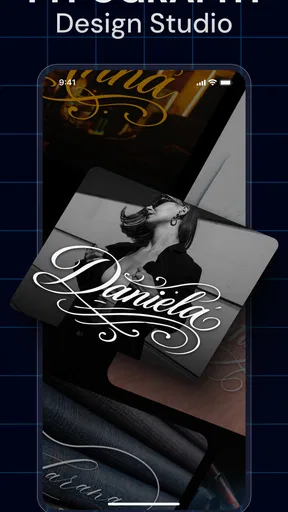
Once you have a base design you like, customizing it is a walk in the park. You can tweak colors, fonts, and even add icons to make it uniquely yours. The app offers a wide palette and a solid selection of fonts. I loved how I could change a few elements and see the logo transform into something that felt personal.
For anyone worried about the creativity being too limited by AI, fear not. The customization options are extensive enough to let your creative juices flow. It’s like having an entire design toolkit at your fingertips.
Export and Share with Ease
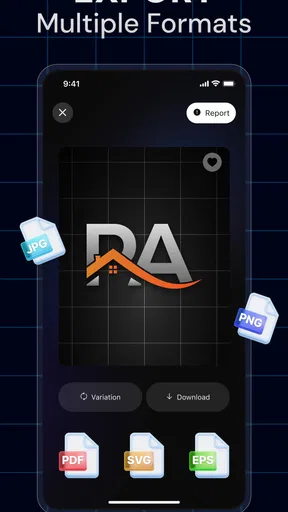
Once satisfied with your masterpiece, exporting it is just as straightforward. The app allows you to save the logo in various formats, perfect for both digital and print needs. I appreciated the ease of sharing too. You can send your logo straight from the app to email or social media platforms. It’s like the app was designed to make my life easier at every step.
And for those of us always on the go, the app’s ability to save projects in progress is a lifesaver. You can start on your commute and pick up where you left off at home. Talk about convenience!
Why You’ll Love It
In a nutshell, Rebrand - AI Logo Maker is a game-changer for anyone looking to create professional logos without the hefty price tag or time investment. The combination of AI smarts and user-friendly customization makes it a must-have tool. Whether you’re a budding entrepreneur, a blogger, or just someone who loves dabbling in design, this app has something for everyone.
So, if you’re in need of a logo and want to add a little flair without breaking a sweat, give this app a try. It’s like having a personal designer in your pocket, ready to bring your vision to life. Trust me, you won’t be disappointed!
Making the choice with realistic expectations
Rebrand has an average rating of 4.5 from around 9,000 ratings, with roughly 149 written reviews and over 100,000 installs. Those figures suggest that many people have tried it, but they do not tell me whether a particular design will suit my project. I would still judge the result by how clearly it communicates the name and whether I can use it consistently.
The app is free, is rated for Everyone, and its current version is 1.1.7, with Android 7.0 as the minimum operating-system requirement. It was released on March 14, 2025. Those details make it straightforward to assess basic fit: someone on an older Android version should check compatibility before planning a project around it, while anyone choosing between phone and desktop work should consider where they are most comfortable making careful visual decisions.
One non-obvious way to get a better result is to prepare the brand name before opening the generator. Decide whether punctuation, a tagline, or a shortened form belongs in the logo, and try the exact wording you expect to use publicly. Changing the name after settling on a composition can alter the balance, so testing the final wording early avoids polishing a version that will need to be rebuilt.
I would also keep a short record of the choices behind a design: which color direction feels right, which font remains readable, and which icon actually relates to the project. That makes it easier to compare candidates without relying on whichever option looked exciting a moment ago. If I am sharing ideas with someone else, showing two or three distinct directions is more useful than sending a large pile of near-identical versions.
For ongoing use, I would treat saved work as a practical advantage rather than a reason to keep redesigning. A logo can be revisited when a business changes its focus, but frequent cosmetic changes can make a small brand harder to recognize. The app is most worthwhile when it helps me make a decision and then get back to the work the logo is meant to support.
Who should keep looking
If I needed an identity for a business with complex legal, production, or accessibility requirements, I would not rely on a quick AI-generated mark alone. The same applies if a logo has to reproduce reliably on physical materials or sit within a coordinated set of brand assets. A specialist editor or human designer is a better choice when exact control, original drawing, or a broader identity system matters more than speed.
On the other hand, I would recommend trying Rebrand when the obstacle is simply getting started. It makes sense for people who want to compare visual directions, personalize a basic concept, and create something usable without learning a full design application. I would go in with a clear brief, check the purchase options before committing, and choose the simplest result that still feels right.
Final verdict: useful when the need returns
For me, the app earns a place as an occasional tool, not a daily habit. Its value is in shortening the gap between an idea and a logo concept, with enough room to adjust the result and continue later. If I only needed a quick identity for a small project, that balance would be appealing; if the logo were central to a larger business, I would use it for exploration and then seek more deliberate review.
That is the lasting test I would apply: does the design stay clear, fit the project, and remain useful after the excitement of generating options has passed? Rebrand can help answer that by making early experimentation accessible. I would recommend it to a friend who needs a practical starting point, while being honest that a convenient first draft and a durable brand identity are not always the same thing.
Pros
- User-friendly interface simplifies design.
- Wide variety of templates available.
- AI generates unique logo suggestions.
- Quick export options for multiple formats.
- Customizable color palettes and fonts.
Cons
- Limited free features
- requires subscription.
- AI suggestions can be repetitive.
- No offline mode available.
- Occasional app crashes reported.
- Some designs lack professional quality.
FAQs for Rebrand - AI Logo Maker
What features does Rebrand - AI Logo Maker offer?
Rebrand - AI Logo Maker provides a comprehensive suite of tools for creating unique and professional logos. It includes AI-driven design suggestions, customizable templates, a wide variety of fonts and icons, and easy export options. The app is designed to cater to both beginners and experienced designers, ensuring a smooth creative process.
Is Rebrand - AI Logo Maker suitable for beginners?
Yes, Rebrand - AI Logo Maker is beginner-friendly. Its intuitive interface and AI-powered suggestions help users create logos without any prior design experience. The app guides users through each step and provides helpful tips, making it accessible for anyone looking to design a logo quickly and efficiently.
Does Rebrand - AI Logo Maker offer customization options?
Absolutely! Rebrand - AI Logo Maker allows extensive customization. Users can adjust colors, fonts, shapes, and layouts to match their brand identity. The app also offers a variety of pre-designed templates that can be modified to suit specific needs, providing flexibility and creative control.
Are there costs associated with using Rebrand - AI Logo Maker?
Rebrand - AI Logo Maker offers both free and premium versions. The free version provides basic features, while the premium version unlocks advanced tools, additional templates, and exclusive design elements. Subscription plans are available for users who want to access all the app's features without any limitations.
Can I use the logos created in Rebrand - AI Logo Maker for commercial purposes?
Yes, logos created using Rebrand - AI Logo Maker can be used for commercial purposes. Once a logo is designed, users have full rights to use it for their businesses, marketing materials, and other commercial applications. However, it is advisable to check the app's terms and conditions for any specific usage rights or restrictions.


